
Best Bank Statement Conversion Software in 2026: From PDF to Excel/CSV
If you have ever tried to do anything useful with a bank statement, you have probably hit the same wall. Banks export PDFs. They are great for reading and terrible for actually working with. You cannot easily sort transactions, run calculations, or import them into your accounting tools without first converting them into a format a computer understands.
That is why converting bank statements into structured formats like Excel (.xlsx) or CSV has become a basic requirement in business finance, personal accounting, and data analysis. Once the data is structured, you can:
- Sort, filter, and analyze transactions
- Import statements into tools like QuickBooks, Xero, or Sage
- Automate reporting and reconciliation
- Spot anomalies and prepare data for tax reporting
Below, we explain the landscape of tools and services available in 2026 for turning PDF bank statements into usable spreadsheet data. And we’ll explain why we believe BankStatement.to is the best option available today for accurate, reliable conversion with built-in validation and error checking.
1. BankStatement.to
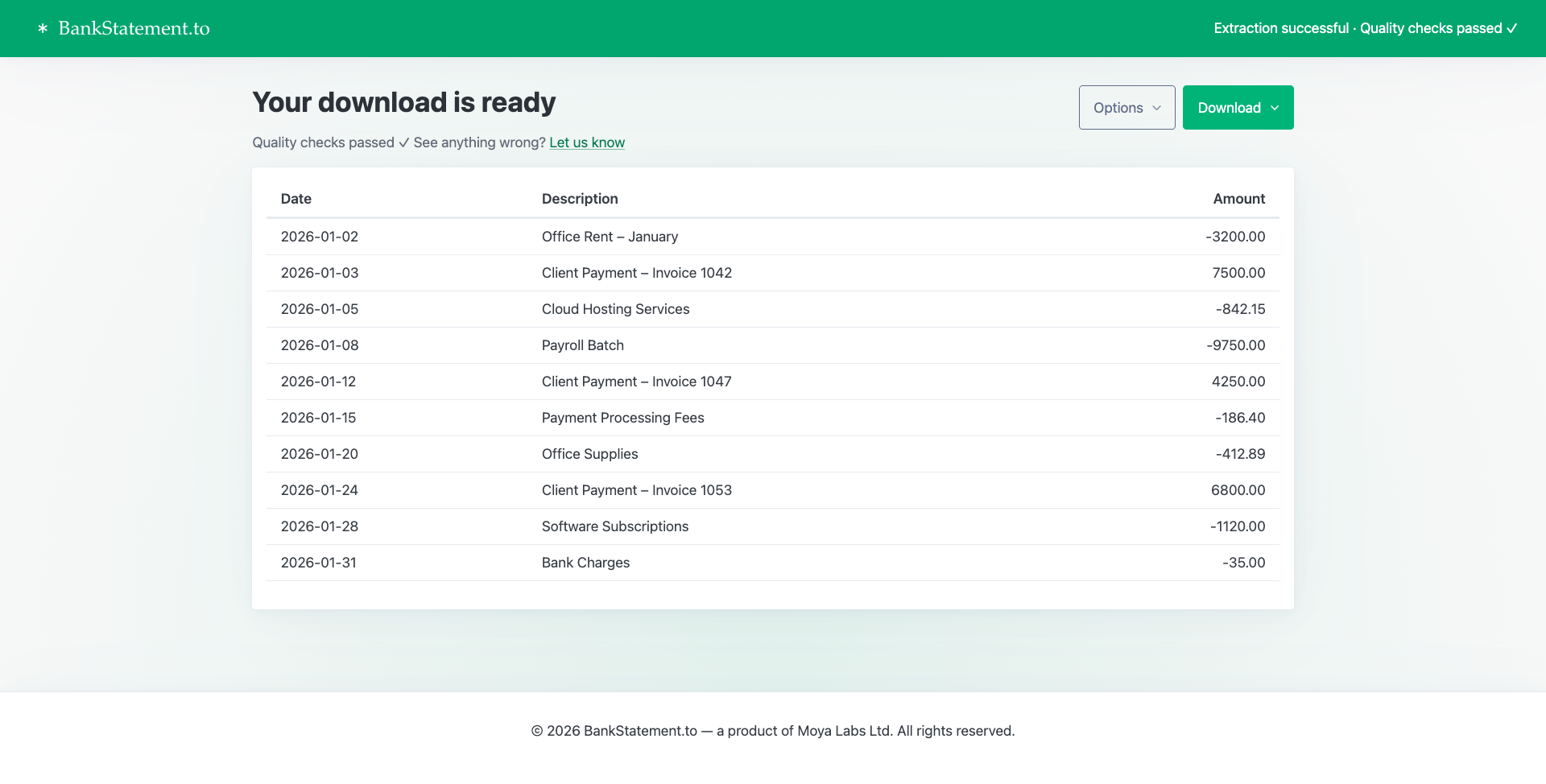
BankStatement.to is a specialized bank statement converter designed specifically to extract transactions, dates, balances, descriptions, and other key fields from bank statements and turn them into Excel or CSV formats with high reliability. Unlike generic tools, it is optimized for real bank statement layouts and edge cases.
Advantages of BankStatement.to
- Purpose-built for bank statements: The software is trained and engineered specifically for the varied formats of bank statements, not general document analysis.
- AI Pipeline combining multiple AI strengths: Rather than relying on a single AI model, it uses a pipeline that combines strengths from different AI systems. This enhances table recognition and data extraction robustness beyond what a single generative model can do.
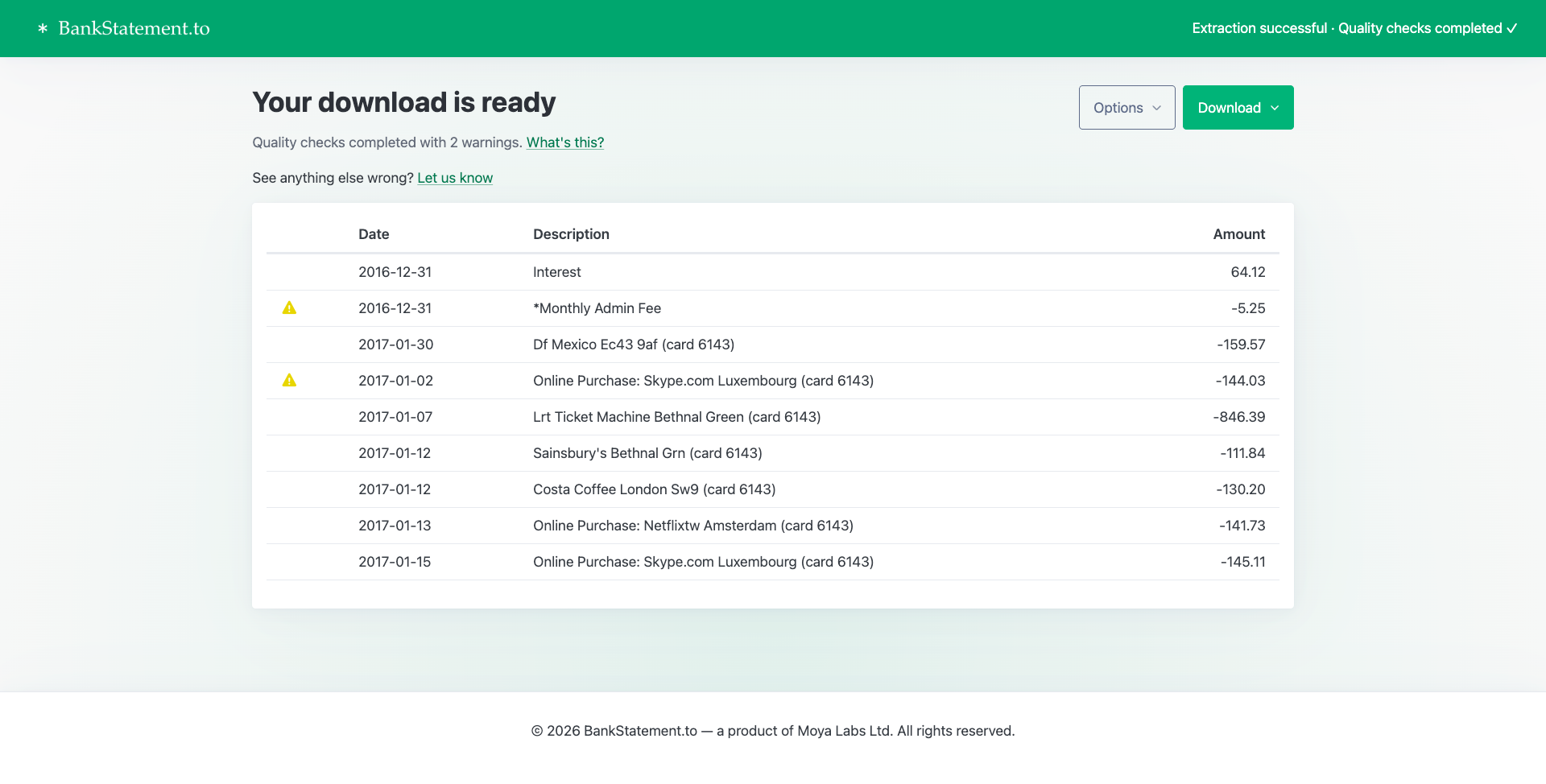
- Quality checks and alerts for human review: The system performs validation and flags uncertainties or anomalies in the extracted data. It highlights issues requiring human attention — a feature many generic AI tools lack.
- High accuracy and reduced hallucinations: Because it validates line-by-line transaction data and comparisons against expected patterns (e.g., opening/closing balances), it dramatically reduces AI hallucination and unverified assumptions.
2. Generic LLM-Based Converters (e.g., ChatGPT, Claude)
Some users attempt to use general-purpose large language models (LLMs) like Claude or ChatGPT to extract bank statement data by prompting them to parse the PDF content into structured formats.
Pros:
- Flexible and can handle a variety of document types.
- Easy to use with natural language prompts.
Cons:
- Lack of domain-specific validation: These models do not have built-in checks for financial data accuracy.
- Higher risk of hallucination: They may invent data or misinterpret table structures without clear error detection.
- Inconsistent performance: Results can vary significantly based on prompt quality and document complexity.
Why BankStatement.to is stronger than Claude or ChatGPT for this task
- Tailored workflow vs general LLM output: Claude and ChatGPT are general purpose language models that can attempt extraction, but they’re not optimized for precise table extraction and cannot reliably detect errors in their own output. Users must manually verify everything.
- Hallucination risk: Generic LLMs often invent data or misinterpret table boundaries without clear checks. BankStatement.to introduces verification logic that catches common mis-parses and flags them.
- Domain-specific accuracy: A pipeline tailored to financial statement structures outperforms a general text model, especially on complex layouts, multi-page PDFs, and industry-formatted statements.
BankStatement.to provides a workflow that combines best-in-class extraction with verification — critical in a domain where errors can have financial consequences.
3. BankStatementConverter.com
BankStatementConverter.com is a long-standing option for converting bank statements from PDF into Excel or CSV. It takes a more manual, user-guided approach compared to fully automated tools.
In many cases, users are required to manually specify where tables begin and end, including defining rows and columns before the data can be extracted correctly. This can work well when statements are clean and consistent, but it does mean extra effort, especially for multi-page statements or documents with varying layouts.
Pros:
- Gives users fine-grained control over table extraction
- Can be effective for well-structured, predictable statement formats
- No reliance on fully automated decisions
Cons:
- Requires manual setup for table boundaries
- Slower for large statements or frequent conversions
- Less suitable for batch processing or automation
- Puts the burden of correctness on the user rather than the system
This approach can be acceptable for occasional, simple statements, but it does not scale well and offers little protection against subtle extraction errors unless the user carefully reviews and adjusts the output.
4. Accounting & Document Automation Platforms
Tools like Docparser or enterprise document processors offer PDF parsing and structured export workflows.
- Docparser is a robust document parsing tool with customizable extraction rules and multi-format exports (CSV, Excel, JSON). Custom templates help improve accuracy. (Docparser)
- Enterprise OCR/Document Intelligence services (Microsoft, AWS, etc.) can be configured for bank statements but often require setup and integration.
Pros:
- Highly customizable for business workflows.
- Can integrate into automation pipelines.
Cons:
- More complex to set up.
- Not focused solely on bank statements — requires custom rules.
- Can be overkill for simple or occasional conversions.
5. Manual & Traditional PDF Tools
Standard PDF-to-Excel converters (including Adobe Acrobat and built-in Excel data import) can extract table data from PDFs.
Pros:
- Useful when security policies restrict upload to third-party servers.
- No cost if you already have software.
Cons:
- Limited accuracy on varied bank statement formats.
- Often requires manual cleanup and formatting in Excel.
- Struggles with scanned PDFs and complex tables, requiring manual adjustments. (moneydonut.co.uk)
Best Practices for 2026 Bank Statement Conversion
- Choose tools tailored to bank statements: General-purpose LLMs (Claude, ChatGPT) are flexible but lack domain-specific error checking and structured extraction workflows for financial tables.
- Validate results: Always verify totals and transaction parses before importing into accounting systems.
- Prefer tools that provide alerts for uncertainties: Systems that highlight ambiguous data reduce risk and save review time.
- Secure handling: Ensure converters use secure transmission and no long-term storage of sensitive financial data.
Conclusion
In 2026, the landscape of PDF-to-Excel/CSV bank statement conversion includes everything from generic converters and document parsing platforms to purpose-built solutions. Among these:
- We believe BankStatement.to stands out because it combines multiple AI models into a pipeline designed specifically for bank statements, with quality checks and human-review flagging that generic LLMs do not provide.
- Other online converters are useful for quick tasks but often lack rigorous validation or customization.
- Accounting and OCR platforms can be powerful but usually require setup and have lower accuracy.
- Manual tools are least reliable for complex bank statements.
For high-confidence, accurate conversion of bank statements — especially at scale or for financial reporting — BankStatement.to offers a strong combination of accuracy, reliability, and workflow verification that many alternatives do not consistently deliver.